Blueprints Guide for Brave New Wonders
Copy layouts that already work, paste them cleanly, and clone automatons that keep the tasks you perfected.
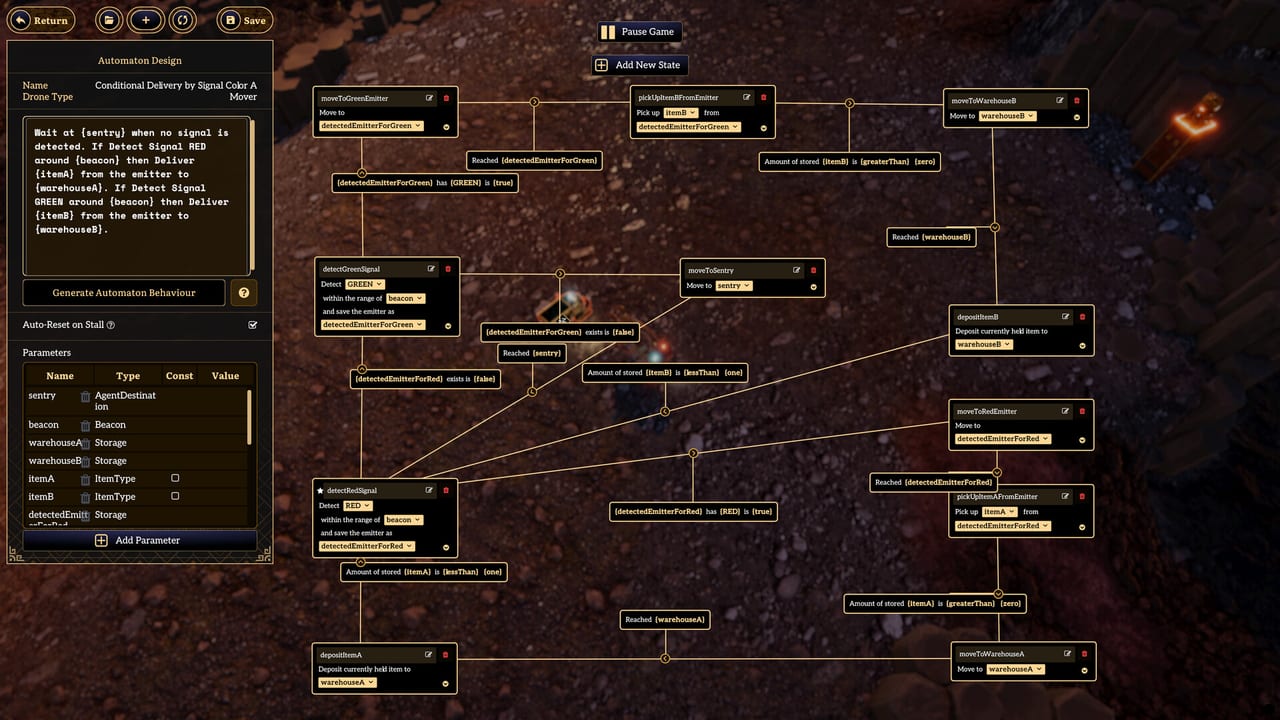
Blueprints are how Brave New Wonders turns a hard-won factory cell into a portable asset. There are no conveyor belts to duplicate with a bus planner. You grow by saving a layout, pasting it elsewhere, and trusting that cloned automatons keep their tasks and behaviours. This guide covers blueprint mode, paste hygiene, cell design, behaviour versioning, and the pitfalls of cloning unfinished commands.
If you are still learning the behaviour editor, read Text Commands first. If you need the wider scaling loop, pair this page with Automation. For the opening hour on the Americas island, keep Getting Started nearby.
What a blueprint actually stores
A Brave New Wonders blueprint is more than building footprints. Treat it as a contract between geometry, signal emitters, storage pads, and the automaton jobs that expect those labels. A useful blueprint usually includes:
- Processing buildings for a focused recipe (ore, crystal, sand-to-glass, water, fusion cells)
- Named storage or deposit points Movers can find after a paste
- Signal hardware that matches the colour legend in your behaviours
- Clearance for pathing and turret arcs (see Defense)
- Room to attach power or fusion logistics at the edge
If you only save the furnaces and forget the signal posts, every paste will look correct and still starve. Geometry without coordination is decoration.
Entering blueprint mode with intent
Open blueprint mode when a cell has completed several clean production cycles, not when the first glass batch looks pretty. Before you save:
- Watch Miners and Movers finish at least three full loops.
- Open each critical behaviour graph and confirm wait nodes still match the live signals.
- Rename buildings with role labels (
GlassInput_A,CrystalBuffer) instead of spawn-local jokes. - Note which automatons belong to the cell versus temporary wartime helpers.
- Snapshot a name that includes a version (
GlassCell_v3), not a mood (final_final2).
Blueprint mode rewards patience. Saving mid-raid or mid-rewrite freezes confusion into a stamp you will paste six times.
Paste behaviour and task retention
After paste, inspect two layers separately: buildings and brains.
Buildings usually land where you aimed them. Brains are where most paste failures hide. Because cloned automatons retain tasks and behaviours, a paste that includes or immediately clones workers will replay whatever the source knew — including outdated deposit names, wartime retreats, or a typo that only fires when a buffer is full.
Checklist after every paste:
- Confirm building labels still match the words inside behaviours.
- Confirm signal colours still mean the same thing as on the source cell.
- Run one automaton through a full cycle before cloning a fleet.
- Delete leftover wartime commands before you multiply them.
- Compare against the Tier List Hub mental model: only duplicate cells you would proudly rank.
If the layout looks right and the factory still idles, do not rebuild the furnaces first. Read the retained tasks. Many “broken blueprints” are correct shells wearing yesterday’s orders.
Designing cells that paste well
Design for modules, not monuments. A cell that only fits the Americas starter rock will fight you when the Sky Pillar airship Wonder carries factories to Europe, Asia, or Africa. Prefer:
- Compact rectangles with predictable entrance and exit tiles
- Externalized island-unique resource IDs behind local labels
- Parallel twins instead of one mega-cell that cannot lift cleanly
- Local buffers so a combat stutter does not collapse the whole chain
- Documented colour legends shared with sibling cells (deep dive on Signals)
Resource-facing cells should expose a clear interface for ore, crystal, sand, glass, water, metal plates, refined crystals, fusion cells, or research packs. Haulers should not need tribal knowledge about “the left crate near the old turret.” For chain priorities, see the Resources guide.
Versioning behaviours like software
Treat behaviours as versioned assets tied to blueprint names:
GlassHaul_v1— first working signal waitGlassHaul_v2— shorter path after you moved the bufferGlassHaul_v2_raid— temporary retreat branch during relic fights
When you improve a source automaton, bump the version before cloning. Keep a small lab corner for parser experiments so production blueprints stay clean (Text Commands). After a patch, re-test one cell per family and follow Updates notes before mass-pasting old stamps.
Version names also help when two islands disagree. An Africa desert paste may need GlassHaul_v3_hot with different idle parking while the Americas original stays on v2. Without versions, you will overwrite the only working dialect by accident.
Pitfalls when cloning bad commands
Cloning is a multiplier. It multiplies excellence and it multiplies garbage at the same speed.
Half-finished customs. You wrote a clever priority haul, never opened the graph, and cloned five Movers. Now five Movers bounce between the same two tiles. Fix the source, delete the clones, re-clone.
Wartime leftovers. A retreat-to-bunker override stayed active after the raid. Pasted cells look cowardly because every Mover still waits on a red alarm that never comes. Strip combat branches or gate them behind real signals (Defense).
Absolute wording. Behaviours that say “the big rock near spawn” die on the next island. Rewrite to blueprint-local roles before the airship lift (Islands, Wonders).
Dialect clash. Green meant “batch ready” on cell A and “buffer high” on cell B. Pasting both into one yard creates fake AI bugs. Publish one colour legend per blueprint family.
Hero Movers. One automaton that “does everything somewhere” cannot be cloned into a coherent fleet. Split jobs before you save the blueprint (Automation).
Sync storms. Identical clones start together and knot at the same corner every tick. Stagger idle points or signal timing after paste.
A practical blueprint workflow
- Stabilize a single recipe cell on the Americas start.
- Lock signals and labels; record the colour legend.
- Save
RecipeCell_v1only after three clean cycles. - Paste nearby; fix labels; run one clone; then scale Movers.
- Promote to
v2when pathing or buffers change. - Before Sky Pillar travel, strip Americas-only wording and re-save a liftable stamp.
- On each new island, paste, adapt resource interfaces, and keep version suffixes honest.
Optional drills: break a destination on purpose and confirm your “if full” clause still fires after paste; clone three workers and watch for divergence; paste the same cell twice and verify signal posts did not overlap into nonsense.
Controls, tools, and reference
Blueprint work is faster when you know camera and selection habits from the Controls page and keep performance expectations realistic via System Requirements. Use the Tools Hub for planners and helpers as your library grows, and keep official store or patch pointers on the Links Hub and Players Hub. Browse the full Guides Hub when you need a sibling page you have not opened yet.
Related guides
- Automation — cells, throughput, and scaling without belts
- Text Commands — write behaviours worth cloning
- Signals — colour contracts that make pastes speak the same language
- Resources — which chains deserve their own blueprint family
- Defense — turret margins inside the footprint
- Wonders — lift modules with the airship
- Islands — biome-specific paste adaptations
Master blueprints early. In Brave New Wonders, the factory that travels is the factory you saved on purpose — geometry, signals, and tasks that still make sense after the paste.
Frequently Asked Questions
Quick answers to the most common Pioneer questions.
Do cloned automatons keep their tasks after a blueprint paste?
Yes. Cloned automatons retain tasks and behaviours. Perfect the source behaviour, verify labels and signals after paste, then clone. Mistakes multiply as fast as good loops.
When should I save a factory cell as a blueprint?
After several clean production cycles, with named buildings, stable signal colours, and inspected behaviour graphs. Do not save mid-raid or mid-rewrite.
Why does a pasted blueprint look correct but produce nothing?
Usually retained tasks still point at old deposits, wartime retreats, or mismatched signal meanings. Check brains before rebuilding furnaces.
How should I version blueprints and behaviours?
Use explicit suffixes such as GlassCell_v3 and matching behaviour names. Bump versions before mass cloning, and keep island-specific variants clearly labeled.
Can blueprints travel with the airship Wonder?
Design liftable modules with local labels and edge attachments for power or fusion logistics. Strip Americas-only wording before Sky Pillar voyages to Europe, Asia, or Africa.