Brave New Wonders Players Hub
Controls, PC specs, and practical reference for running a text-command factory.
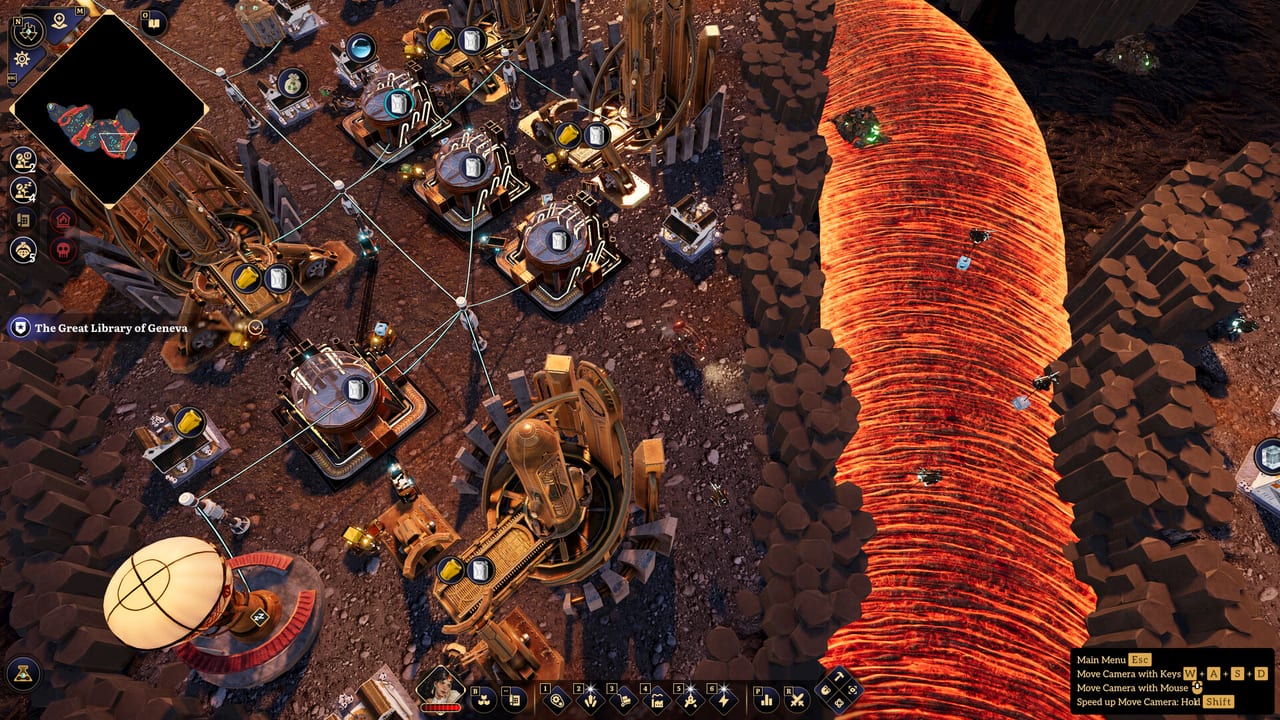
Welcome to the Players Hub for Brave New Wonders — the single-player factory automation game from City From Naught Inc. and LoongGate. This section collects practical player-facing reference: how the interface behaves, how inventory transfer works, what your PC needs to run the 1.0 build, and where to go next when you want deeper systems guides.
Unlike character-roster hubs on other wikis, this page is about you as the commander. There is no multiplayer lobby and no redeemable codes layer. Progress comes from reading the map, deploying automatons, writing clear behaviours, and deciding when to defend versus expand. Use this hub as a bookmarkable checklist before you dig into Getting Started, Text Commands, or the Tier List Hub.
What lives under Players
Controls and UI
The Controls page covers keyboard and mouse flow as seen in launch gameplay: selecting units and buildings, transferring items with left-click, moving stacks with Shift+left-click, splitting stacks with right-click drag, opening the build menu to deploy automatons, and using the behaviour editor for presets versus custom plain-text instructions. Exact default keybinds can be remapped (custom bindings shipped during the demo period and remain part of the full release), so treat bind names as flexible and focus on the verbs the UI expects.
If you are still learning camera framing, build placement, and signal colours, start there before you invent complex conditional routes. Many early mistakes are not “bad commands” — they are mis-clicks on warehouses, unclear destination picks on the map, or forgetting that automatons replace belts entirely.
System requirements
The System Requirements page lists Steam minimum and recommended specs for the Windows 1.0 build, plus install size notes and practical performance tips for large automaton fleets. Brave New Wonders is a 3D open-island factory sim: CPU, RAM, and GPU all matter once you link multiple production clusters and keep dozens of behaviours evaluating conditions.
Confirm your machine before a long session if you plan to push blueprints hard after unlocking the airship Wonder. Demo saves can carry into the full game, but a stuttery first island experience usually means you should lower settings early rather than fight the frame budget while learning logistics.
Achievements
Steam lists 25 achievements at the 1.0 launch. The Achievements guide explains how to hunt them safely in a beltless factory — stabilize loops, explore ruins carefully, treat Wonder unlocks as milestone clusters, and avoid softlocks with bad saves — without inventing unverified trophy names. Pair it with Launch 1.0 Notes if you are still calibrating demo carryover versus a fresh start.
How this hub connects to the rest of the wiki
Players reference answers how do I operate the game. Guides answer what should I build and why. Pair them deliberately:
- New commanders: Getting Started → Controls → Text Commands
- Throughput planners: Automation → Tools command examples → Tier List Hub
- Combat-aware builders: Defense after your first turret line, not before basic ore loops
- Island travellers: Wonders and Islands once Americas production is stable
The Updates Hub tracks what changed at 1.0 versus the demo, including the launch discount window and achievement count. Check it if your muscle memory still matches an older demo build.
Launch mindset for single-player factories
Brave New Wonders launches as a single-player title. There are no conveyor belts. Materials move because automatons — notably Movers for fast carrying and Miners for extraction — follow behaviours you assign. You can lean on presets, then graduate to custom plain-text commands that the behaviour editor turns into a readable action graph. Colored signals let buildings and units coordinate without hard-coded belt spaghetti.
Your starting theatre is the Americas island. Later you unlock travel toward Europe, Asia, and Africa aboard the airship Wonder, which also functions as a mobile industrial hub. Old machines threaten expansion routes, so turrets, dynamite, and relics matter — but overbuilding defense before you can feed ammo is a classic early trap. The Tier List Hub ranks those priorities for launch week play.
Blueprints copy and paste layouts while preserving behaviours. That means a clean early cell (mine → warehouse → smelter → component line) pays compound interest when you stamp it again after the Wonder unlocks. Spend time naming destinations clearly; vague map picks create vague robots.
Suggested reading order
- Skim System Requirements if you have not launched yet.
- Play the tutorial, then open Controls beside the game window for transfer and editor tips.
- Follow Getting Started for the first-hour objective chain.
- Practice three short prompts from the Tools cheat sheet.
- Revisit priorities on the Tier List Hub before your first major rebuild.
- When you feel ready to leave the starter biome loop, read Wonders and Islands.
- When Steam popups matter, use Achievements as a systems checklist — not a spoiler dump.
FAQ-driven troubleshooting
If automatons idle, ask whether the behaviour graph actually references valid destinations and whether inventories are full. If combat pressure spikes, ask whether ammo delivery is signal-gated or left to manual panic trips. If FPS dips, ask whether you duplicated blueprint cells without pruning redundant Movers. This hub will not replace live patch notes, but it will keep your operator fundamentals stable while the rest of the wiki goes deeper on automation and defense.
Bookmark this page, keep Controls, System Requirements, and Achievements one click away, and jump into the Guides Hub when you are ready to design the factory — not just click it.
Frequently Asked Questions
Quick answers to the most common Pioneer questions.
What pages are under the Players Hub?
Start with Controls for UI and transfer tips, System Requirements for Steam PC specs, and Achievements for safe completionist habits. Deeper factory strategy lives under Guides, Tier List, Tools, and Updates.
Is Brave New Wonders multiplayer?
No. The 1.0 Steam release is single-player factory automation. Plan logistics and defense for one commander, not shared shifts.
Do I need coding experience for automatons?
No. Use behaviour presets first, then plain-text commands in the behaviour editor. The game builds a visual action graph from your wording.
Where should brand-new players go after this hub?
Read Getting Started, keep Controls open for inventory and build-menu habits, then try example prompts on the Tools page.