Text Commands in Brave New Wonders
Write instructions in any language, review the behaviour graph, and turn intent into reliable automaton work.
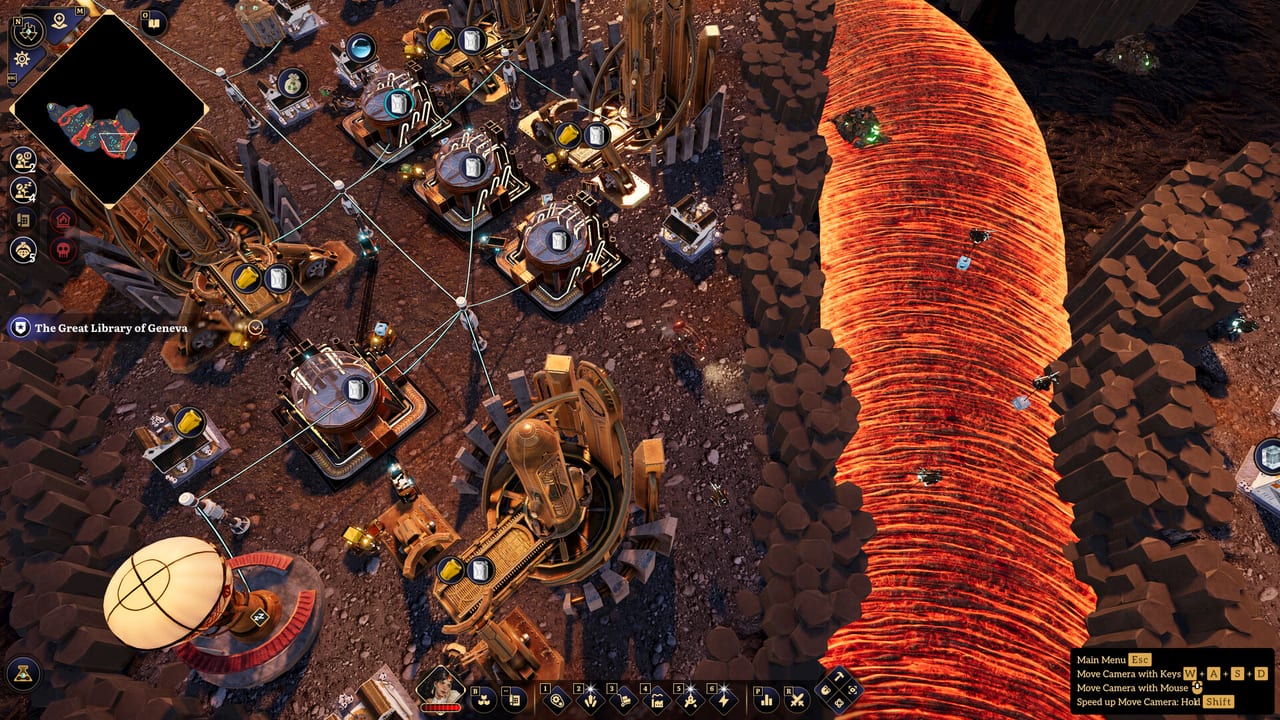
The heart of Brave New Wonders is not a belt planner — it is a behaviour editor that accepts plain-text commands in any language, parses them with AI into a behaviour graph, and lets you refine that graph by hand. This guide teaches you how to write instructions that survive cloning, island hops, and combat interruptions.
If you are still planting your first Miner, skim Getting Started first. If your commands already work but your factory will not scale, jump ahead to Automation after you finish the clarity rules below.
What the parser is (and is not)
City From Naught’s game uses AI for command parsing, not for generating the handcrafted art. That means:
- Your sentence is a request to build a graph of tasks, conditions, and movements.
- Ambiguity becomes wrong edges in that graph, not “creative roleplay.”
- You remain responsible for checking the graph after every non-trivial parse.
- Preset behaviours exist so you are never forced to invent syntax on minute one.
Treat the parser like a sharp junior engineer: fast, literal, and dangerous when your nouns are fuzzy.
Preset behaviours vs custom text
Presets are your training wheels and your production baselines. Use them for:
- Standard mine-and-deposit loops
- Simple haul routes between two named buildings
- Early combat-adjacent chores where failure is expensive
Custom text shines when presets cannot express a conditional, a multi-stop route, or a biome-specific exception. Write custom commands when you need:
- Priority hauling (fusion cells before raw sand, for example)
- Fallback storage if a primary input is full
- Coordinated waits on colored signals from another building
- Temporary wartime behaviours (“retreat to bunker storage if damaged”)
A healthy factory mixes both: presets for 80% of clones, custom text for the specialists that define your advantage. Rank which presets deserve early investment on the Tier List Hub once you have samples from real runs.
Writing commands that parse cleanly
Good instructions share five traits:
- Named endpoints. Prefer building labels you can see in the world over “the left furnace.”
- One job per behaviour when learning. Combine routes only after each segment works alone.
- Explicit items. Say ore, crystal, sand, glass, water, or fusion cells — not “stuff.”
- Clear verbs. Mine, carry, wait for signal, deposit, return, patrol — keep the action list short.
- Failure hints. Mention what to do if the destination is full or the resource node is empty.
Example shape (adapt to your in-game labels, do not treat this as a required dialect):
“Mine iron ore at Node North until inventory is full, carry it to Smelter Input A, deposit all ore, then wait for the green signal before returning to Node North.”
That sentence gives the parser actors, items, places, a loop, and a signal gate. Vague poetry does not.
Because commands can be written in any language, bilingual players sometimes mix tongues mid-sentence. Prefer one language per behaviour so tokenization stays consistent. Official UI language is English or Simplified Chinese; your automaton orders can still follow whichever language you think in most clearly.
After the parse: edit the graph
Never ship a complex custom behaviour without opening the graph. Look for:
- Extra travel nodes that bounce an automaton between the same two points
- Missing wait states on signals
- Deposit steps that target the wrong building inventory
- Loops with no exit when a node depletes
Manual graph edits are first-class. If the text got you 90% there, fix the last 10% visually, then consider rewriting the text to match so future clones stay understandable. Text is documentation; the graph is truth.
Signals as the anti-belt coordination layer
Colored signals between buildings replace much of what splitters and circuit conditions do in other factory games. Typical patterns:
- Producer finishes a batch and pulses a color the Mover trusts
- Storage hits a threshold and tells Miners to pause
- Defense buildings warn logistics to retreat during a raid
When a text command says “wait for the green signal,” confirm both ends agree on color and meaning. Misaligned signals look like “AI bugs” but are usually authoring bugs. The Automation guide shows how to scale signal contracts across blueprint cells.
Cloning, blueprints, and command hygiene
Cloned automatons keep their tasks. That is the feature that turns one perfect Mover into a fleet — and the feature that multiplies a typo across your island. Before cloning:
- Run the behaviour for several full cycles
- Inspect the graph once more
- Save a blueprint of the layout that expects those tasks
- Name the behaviour something a future you will understand on Africa’s desert shift at 2 a.m.
If you paste a blueprint and clones misbehave, compare task names before you redesign the whole cell. Often the layout is fine and one automaton still carries an old wartime command.
Commands under combat pressure
Old-world machines do not care about your elegant haul poetry. Keep a defense-aware behaviour variant:
- Shorter routes near turret umbrellas (see Defense)
- Deposit-to-bunker overrides when a relic weapon is active
- Explicit retreat points so Movers do not path through dynamite lanes
Do not overload a single behaviour with full logistics and full combat AI on day one. Swap behaviours when the island state changes, or gate combat branches behind signals from alarm buildings.
Island travel and portable instructions
When the Sky Pillar unlocks your first Wonder — the airship that carries factories between islands — your commands become portable assets. Write behaviours that reference roles and blueprint-local labels more than “the big rock near spawn.” The Wonders and Islands guides explain why Europe, Asia, and Africa will punish Americas-specific wording.
Practice drills
- Take a preset Miner behaviour, rewrite it in your own words, parse, and diff the graph against the preset.
- Add a single signal wait; verify both buildings share the color contract.
- Break the destination on purpose, confirm your “if full” clause fires, then restore it.
- Clone three Movers from the fixed behaviour and watch for divergence.
- Blueprint the cell, paste it elsewhere on the Americas island, and fix only label mismatches.
These drills teach more than reading another adjective list. They also prepare you for mid-article video lessons and for comparing notes after patches on the Updates hub.
Related reading
- Getting Started — first Miner/Mover hour
- Automation — scaling loops and blueprints
- Defense — keep haulers alive
- Players Hub — roster and reference framing as your fleet grows
- Links Hub — official site and store pointers
Master text commands early. Every later system in Brave New Wonders — from glass chains to airship-ferried megabases — is downstream of instructions you can trust.
Frequently Asked Questions
Quick answers to the most common Pioneer questions.
Can I write automaton commands in languages other than English?
Yes. Plain-text commands can be written in any language the parser accepts. Official UI languages remain English and Simplified Chinese; keep each behaviour in one language for cleaner parses.
Should I always trust the AI parse?
No. Always open the behaviour graph after non-trivial custom text. Fix edges manually when needed, then align the text so future clones stay clear.
When should I use preset behaviours?
Use presets for standard mining and hauling baselines, then layer custom text for priorities, signal waits, multi-stop routes, and wartime variants.
Why do cloned automatons repeat a mistake?
Cloned automatons keep their tasks. If the source behaviour was wrong, every clone inherits it. Test, inspect the graph, then clone.
How do signals relate to text commands?
Colored signals between buildings act as coordination gates. Reference them explicitly in commands (for example, wait for green) and keep both ends of the contract consistent.